COETZER OPTICALFIBER NETWORK SYSTEMS Technical Inquiry

Categories of Network Patch Panels

Network patch panels are classified based on cable type, shielding, port design, and termination method, each suited for specific networking environments and performance requirements.1. Classification by Cable Type
  • Copper Patch Panels (Ethernet): Designed for twisted pair cables, commonly using RJ45 connectors. They support various categories such as Cat5e, Cat6, and Cat6A, providing different transmission rates for high-speed LANs .
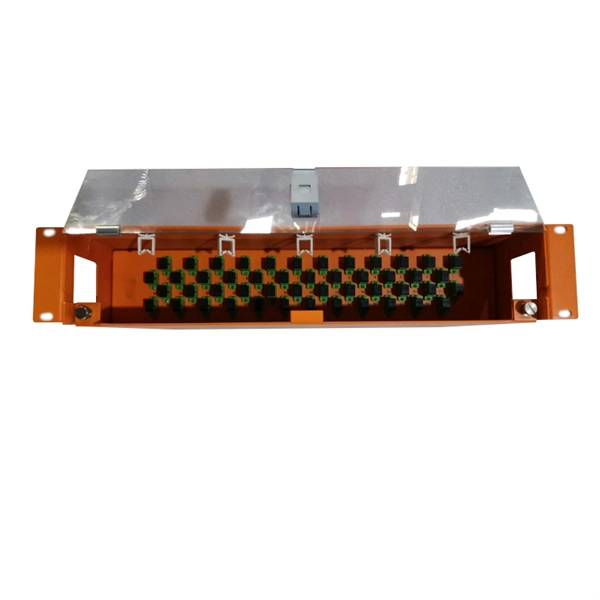
  • Fiber Patch Panels: Also called Optical Distribution Frames (ODF), these panels manage single-mode or multimode fiber connections, facilitating fiber optic distribution and protection .
2. Classification by Shielding
  • Unshielded Patch Panels (UTP): Suitable for general wiring environments with minimal electromagnetic interference (EMI). They are cost-effective and widely used in standard office or home networks .
  • Shielded Patch Panels (STP/S/FTP): Equipped with metal casings and grounding wires to protect against EMI, ideal for industrial, hospital, or high-interference environments .
3. Classification by Port Design and Layout
  • Flat Patch Panels: Traditional straight design; requires horizontal cable managers to route cords neatly, consuming additional rack space .
  • Angled (V-Shape) Patch Panels: Ports are angled outward, directing cables to vertical managers, saving horizontal space in high-density racks but requiring deeper cabinets .
  • Pre-Loaded Panels: Ports come pre-installed with connectors, allowing faster deployment and consistent connection quality .
  • Blank Keystone Panels: Provide empty ports for custom connector installation, offering flexibility for evolving network needs .
4. Classification by Termination Method
  • Punch-Down Panels: Use IDC (Insulation Displacement Connector) blocks; cables are punched down with a tool. This method is secure and cost-effective but labor-intensive .
  • Pass-Through Panels: Cables pass through the back and are terminated at the front, simplifying reconfiguration and testing .
  • Keystone Panels: Modular front ports allow easy swapping of connectors without affecting the entire panel .
  • Fixed Panels: Standardized, non-modular panels suitable for stable, permanent installations .
5. Additional Considerations
  • Port Density: Panels are available in 24, 48, or higher port configurations, affecting rack space and cable management .
  • Rack Compatibility: Most panels are designed for 19-inch racks, but wall-mounted options exist for smaller setups .
  • Cable Management: Integrated bars or ID strips help organize cables, reduce strain, and simplify maintenance . By understanding these classifications, network engineers can select patch panels that optimize performance, space, and scalability for their specific network environment.
Categories of Network Patch Panels

Patch Panels | Leviton Network Solutions

Leviton offers the industry''s largest selection of high-quality copper and fiber optic patch panels to support the latest technologies and

IT Network Patch Panels: Benefits, Types and Setup Tips

Whether in data centers, business or home networks, patch panels streamline cable management, improve troubleshooting and

Related Video Reference

This video was associated with the source search result. Verify technical details against current product documentation and project requirements.

Technical note

This reference is intended for preliminary optical-network research. Compatibility, link budgets, installation methods, test limits and applicable standards must be verified for the specific project.

Still Have a Technical Question?

Use the inquiry form to describe a fiber link, component choice or testing question.

Start an Inquiry