COETZER OPTICALFIBER NETWORK SYSTEMS Technical Inquiry

How to use a fiber optic cap-type terminal box

A fiber optic cap-type terminal box is used to protect, organize, and terminate fiber optic cables, allowing secure splicing and patching while maintaining signal integrity.Overview

A cap-type terminal box serves as the junction point between incoming fiber cables and outgoing pigtails or distribution lines. It protects delicate fibers from dust, bending, and accidental damage, while providing a structured environment for splicing and patching connections . These boxes are commonly used in FTTH, FTTB, and data center applications .

Installation Steps
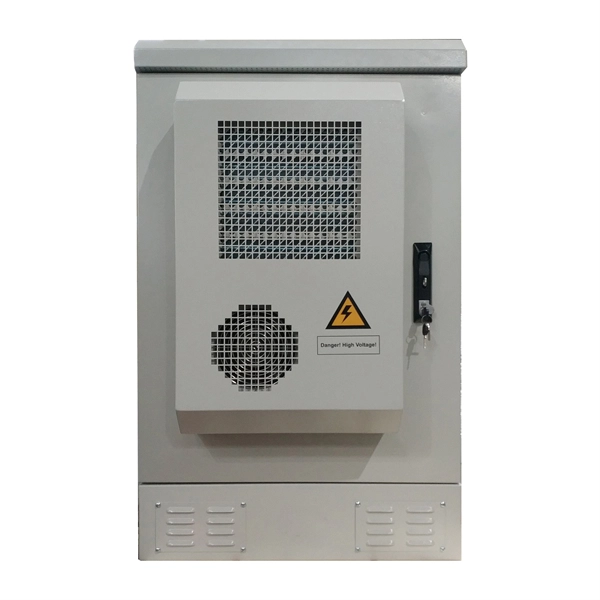
  1. Select the Location: Choose a mounting point that suits your environment. Indoor boxes can be wall-mounted or rack-mounted, while outdoor boxes require weatherproof enclosures with UV-stable materials and gasketed doors .
  2. Prepare the Fiber Cable: Strip the outer jacket carefully, exposing the fibers without damaging them. Ensure the fiber ends are clean and ready for splicing or connectorization .
  3. Mount the Box: Secure the terminal box to the wall, rack, or pole. Ensure the front panel is accessible for patching and maintenance .
  4. Route and Manage Fibers: Inside the box, coil the fibers neatly to maintain the minimum bend radius. Use internal splice trays or management rings to prevent tangling and signal loss .
  5. Splice or Terminate Fibers: Connect incoming fibers to pigtails using fusion splicing or mechanical splices. Place the splices in the provided trays to protect them from stress and dust .
  6. Connect Adapter Panels: Plug the terminated fibers into the appropriate adapter panels (SC, ST, LC, etc.) for patching to equipment or other network segments .
  7. Label and Test: Clearly label each fiber for identification. Test the connections for continuity, insertion loss, and signal quality to ensure proper operation .
Maintenance Tips
  • Keep the box closed when not in use to prevent dust contamination.
  • Avoid sharp bends or excessive tension on fibers.
  • Reserve extra space for slack and future expansions.
  • Periodically inspect splices and connectors for wear or damage .
Key Considerations
  • Capacity: Choose a box that accommodates current and future fiber counts. Modular adapter plates allow easy expansion .
  • Environment: Indoor boxes prioritize density and clean cable management, while outdoor boxes require ingress protection and rugged construction .
  • Accessibility: Swing-out trays or removable panels simplify moves, adds, and changes without disturbing existing fibers . By following these steps, a fiber optic cap-type terminal box can provide a secure, organized, and maintainable termination point for your fiber network, ensuring long-term reliability and minimal signal loss.
How to use a fiber optic cap-type terminal box

How to get the cable into a cap-type fiber optic splice box

In this guide, we cover the basics of fiber optic splicing, how to perform splicing using two different methods, and finally some best

How to Install a Fiber Optic Termination Box (FTTH Steps)

Learn how to install a fiber optic termination box step-by-step for FTTH projects. Covers mounting, splicing, routing, labeling, and

Fiber Optic Termination Box: The Complete Guide

This guide explains what a fiber optic termination box is, how it works in practice, where it is typically installed, and how to choose the

Fiber Box Types and Applications in FTTH Network

The optical fiber faceplate panel is a user terminal box to realize the optical fiber to desktop connection with reasonable

Fiber Terminal Boxes: What They Are and Why You Need Them for

A fiber terminal box, is a device used in fiber-optic communication networks to terminate, splice, and distribute optical

Fiber Terminal Box

Fiber Terminal Boxes GAO Tek''s fiber terminal boxes are devices used in fiber optic networks to terminate and manage fiber optic

Termination Box For Fiber Optic Cable

Termination box for fiber optic cable: A box at the end of a fiber optic cable installation that houses and facilitates the splicing of the

How to install fiber terminal box?

Insert the fiber optical cable at the other end into the optical fiber interface in the terminal box, open the connector cover of the fiber

Related Video Reference

This video was associated with the source search result. Verify technical details against current product documentation and project requirements.

Technical note

This reference is intended for preliminary optical-network research. Compatibility, link budgets, installation methods, test limits and applicable standards must be verified for the specific project.

Still Have a Technical Question?

Use the inquiry form to describe a fiber link, component choice or testing question.

Start an Inquiry