COETZER OPTICALFIBER NETWORK SYSTEMS Technical Inquiry

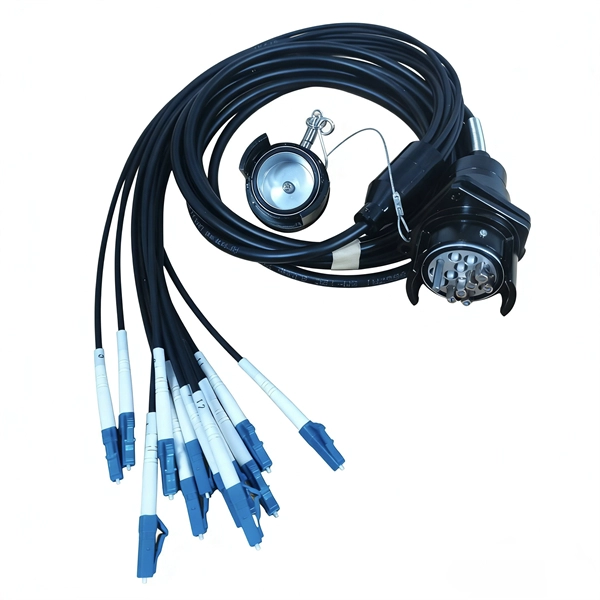
Fiber optic adapter and pigtail connection

Connecting a fiber optic cable to a pigtail adapter involves preparing the fiber, splicing the pigtail, and testing the connection to ensure low signal loss.Tools and Materials Needed
  • Fiber optic pigtail (factory-terminated on one end, bare fiber on the other)
  • Fusion splicer or mechanical splice kit
  • Fiber cleaver for precise cutting
  • Alcohol wipes and lint-free cloths for cleaning
  • Heat-shrink sleeves for protection
  • Safety equipment: gloves and safety glasses
  • OTDR or power meter for testing performance
Step-by-Step Process

1. Prepare the Fiber Cable Carefully remove the outer jacket of the fiber optic cable to expose the individual fibers. Strip the protective coating from the fiber using a fiber stripper, leaving the bare glass exposed. Clean the fiber with alcohol wipes to remove dust and debris . 2. Prepare the Pigtail Select a pre-tested, high-quality pigtail with a connector type compatible with your adapter (LC, SC, ST, etc.). The factory-terminated end will plug into the adapter, while the bare end will be spliced to the main fiber . 3. Cleave the Fibers Use a fiber cleaver to make a precise, flat cut on both the main fiber and the pigtail fiber. Proper cleaving ensures minimal signal loss during splicing . 4. Splice the Fibers

  • Fusion Splicing: Align the bare ends of the main fiber and pigtail in a fusion splicer. The splicer will fuse the fibers together using an electric arc, creating a permanent, low-loss connection .
  • Mechanical Splicing: If a fusion splicer is unavailable, use a mechanical splice kit to align the fibers in a gel or adhesive sleeve, ensuring proper contact . 5. Protect the Splice Slide a heat-shrink sleeve over the splice and apply heat to secure it. This protects the joint from physical stress and environmental factors . 6. Connect to the Adapter Insert the factory-terminated connector end of the pigtail into the corresponding port of the adapter or patch panel. Ensure it clicks securely in place . 7. Test the Connection Use an OTDR or power meter to verify the splice quality and overall signal performance. Check for low insertion loss and absence of defects .
Tips for Success
  • Work in a clean, dust-free environment to prevent contamination.
  • Always use high-quality, pre-tested pigtails to reduce errors.
  • Handle fibers carefully to avoid breakage or injury.
  • Match single-mode or multi-mode fibers correctly to avoid signal mismatch . By following these steps, you can achieve a reliable, low-loss connection between a fiber optic cable and a pigtail adapter, suitable for data centers, FTTH installations, or telecom networks.
Fiber optic adapter and pigtail connection

Fiber-optic Adapters – inline, bulkhead adapter, functions, variants

Fiber-optic adapters are used for mating terminated optical fibers – with many versions for inline/bulkhead use, different connector

What is a Fiber Optic Pigtail?

Fiber pigtails refer to fiber optic cables that contain a connector at one end to connect devices and bare optical fiber at

The Complete Guide to Pigtail Fibers: Simplifying Optical Connectivity

A pigtail fiber is a short, pre-terminated optical cable with a connector on one end and a bare fiber on the other. Think

Fiber Optic Pigtails, SC, FC, ST, and LC Fiber Connectors

The Fiber Optic Pigtail is normally a tight buffered fiber cable with a connector pre-terminated on one end and exposed fiber on the

What Is Fiber Optic Pigtail and How to Splice It?

Fiber optic pigtail offers an optimal way to joint optical fiber, which is used in 99% of single-mode applications. This

Related Video Reference

This video was associated with the source search result. Verify technical details against current product documentation and project requirements.

Technical note

This reference is intended for preliminary optical-network research. Compatibility, link budgets, installation methods, test limits and applicable standards must be verified for the specific project.

Still Have a Technical Question?

Use the inquiry form to describe a fiber link, component choice or testing question.

Start an Inquiry